
In today's digital landscape, videos need to be produced in multiple formats for a smooth viewing experience across various platforms. Vertical clips work well for mobile-first audiences, and square and horizontal clips work well for more general publishing purposes. It's important to have visual consistency throughout all versions. Pippit's smart generation and editing capabilities ensure multi-format production is easy. This approach allows creators to create content faster for the platform, with clarity, composition, and consistency in their branding.
Why Multiple Video Formats Matter in Modern Content Creation
Content formats vary from platform to platform, and flexible formatting is key to greater reach. Videos that are vertical work well on short-form platforms, square videos work well in social feeds, and horizontal videos work well on websites, presentations, and streaming channels. There are different effects of each format on viewers' attention and engagement. These layouts have a uniform branding that helps to increase recognition and trust. Frequently, manual resizing results in framing inconsistencies, cropped images, and loss of the subject of the image. Pippit helps to cut back on repetitive adjustments by providing structured creation from the outset for a number of aspect ratios. The integrated AI video generator guarantees uniformity and simplifies the creation of videos for different platforms.
How Seedance 2.5 Supports Multi-Format Video Generation
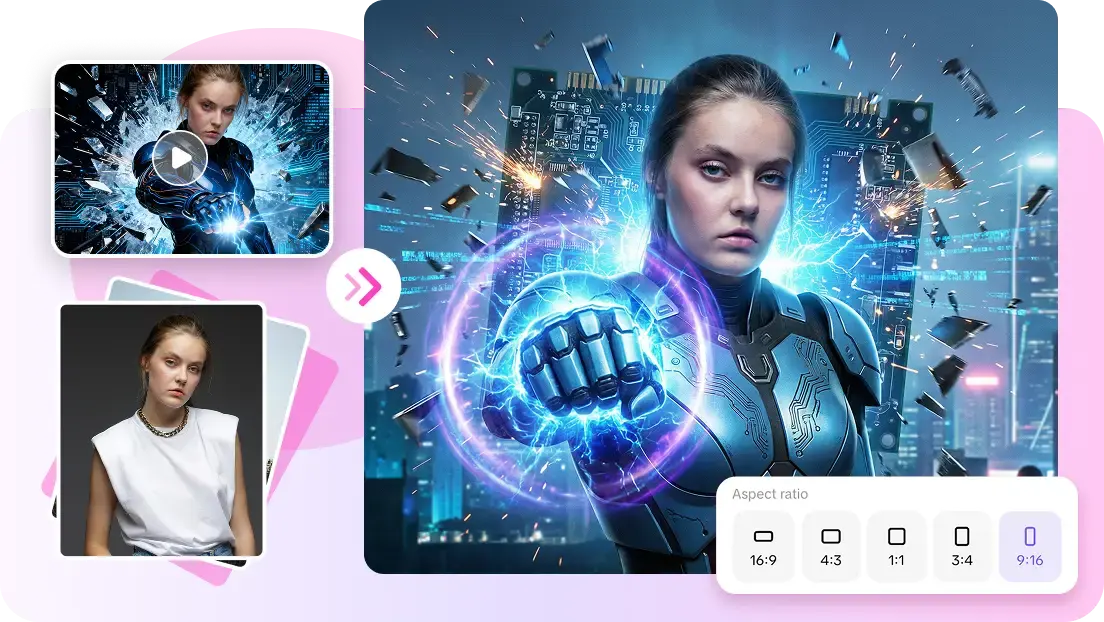
Pippit's smart generation control features allow the creation of video efficiently, flexibly, and consistently. Seedance 2.5 simplifies the connected storytelling process, allowing you to make clips up to 30 seconds long in one connected piece. Users choose desired aspect ratios prior to generation, thus minimizing the need for revisions later. With multi-modal references, the visual appearance, character styling, composition, and visual mood of the product in each version are informed. The positioning of the subjects is balanced, irrespective of the formats, ensuring that key elements are kept in view. Reference images and video aid in maintaining the continuity of the scene and the direction of the visuals when longer stories are required. This workflow allows for efficient preparation of campaigns across publishing channels.
Steps to Generate Vertical, Square, and Horizontal Formats via Seedance 2.5
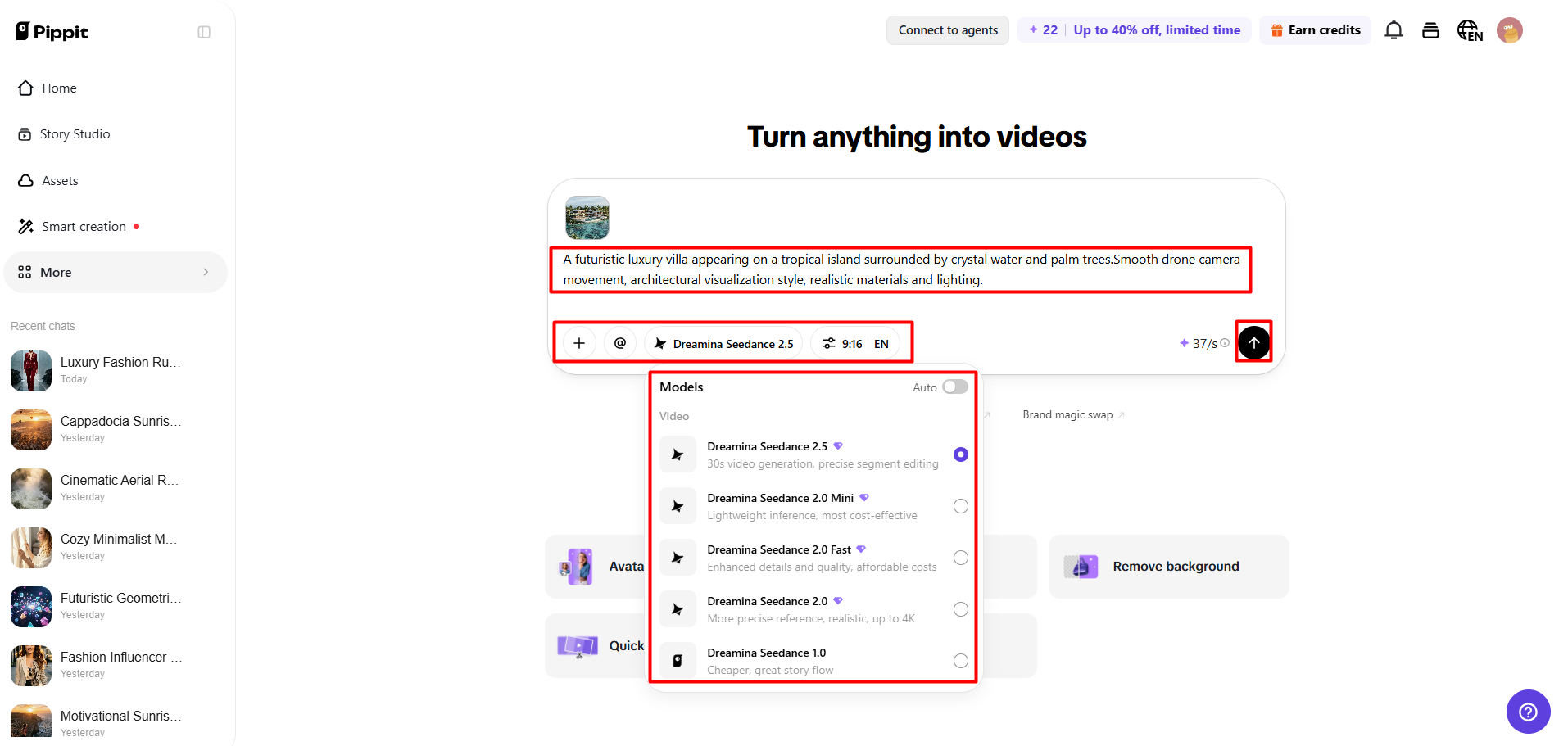
Step 1: Set your video format
- Sign up for Pippit using Google, TikTok, or Facebook account info.
- Open the "More" tab from the left vertical menu bar and access "Video generator".
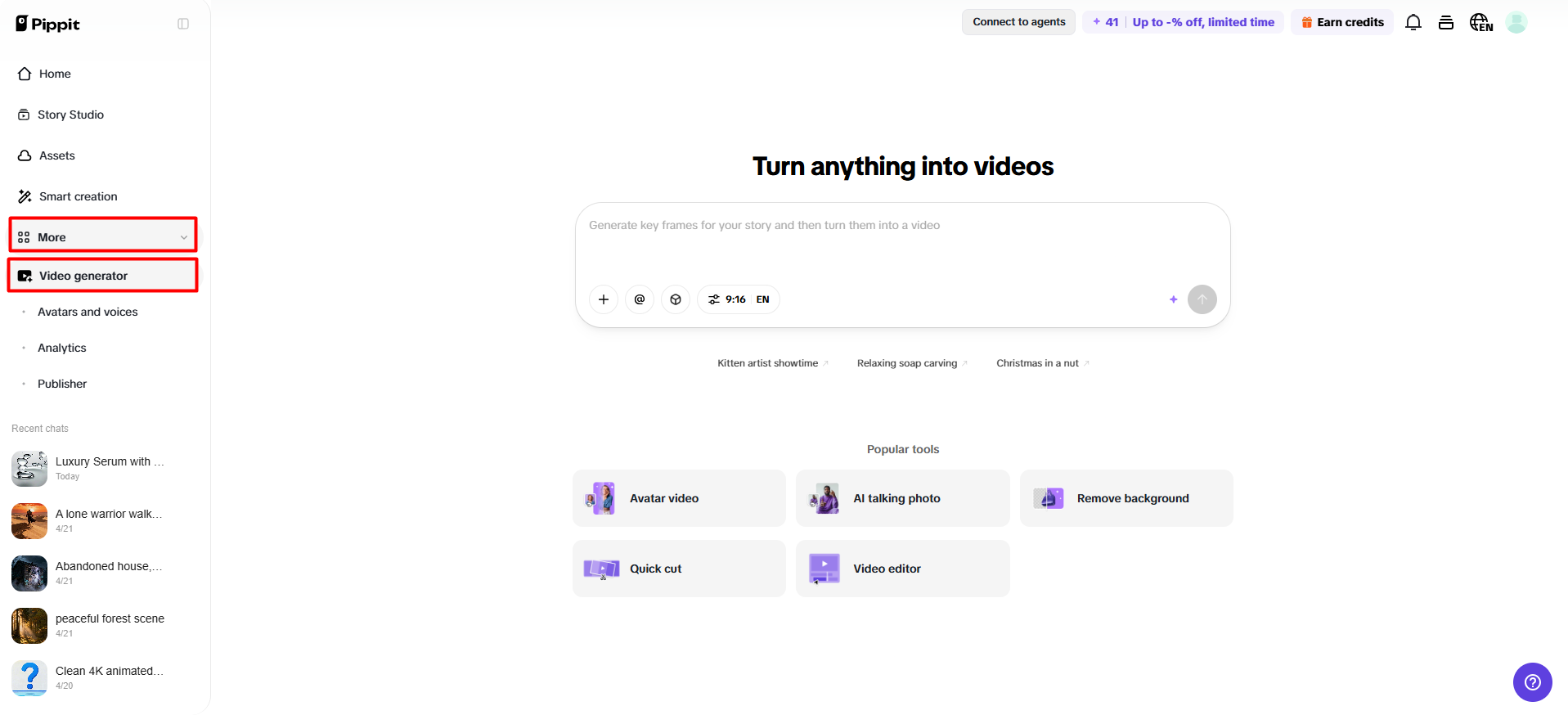
- Select "Dreamina Seedance 2.5" as your AI video model.
- Add a detailed prompt describing your video style and format needs.
- Select video length, language, subtitles, and aspect ratio.
- Click "+" to upload reference images or videos from your device, phone, Dropbox, or a link. You can also select available assets.
- Click "Generate" to create your video.
Step 2: Create multiple formats
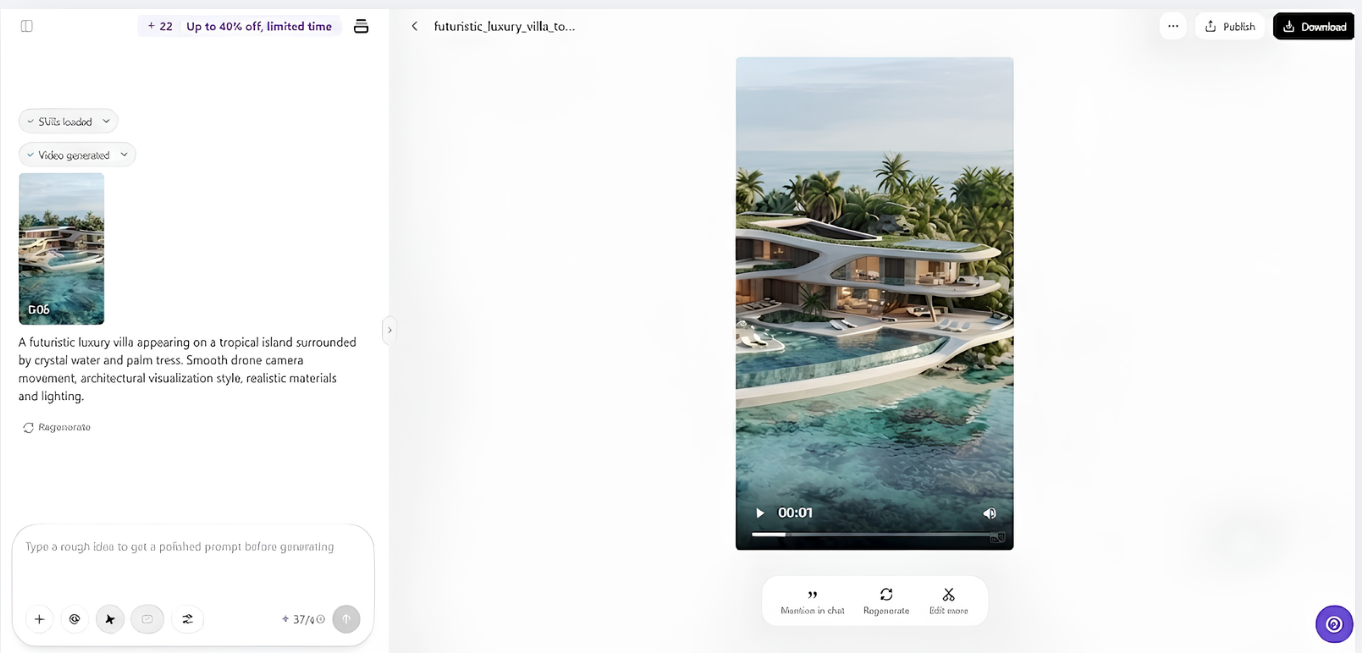
- After clicking "Generate", Pippit's AI video generator creates videos based on your prompt and references.
- The AI adjusts framing, transitions, pacing, captions, avatars, voice, lyrics, and visual enhancements.
- Review the generated draft in vertical, square, or horizontal layouts.
Step 3: Edit and export
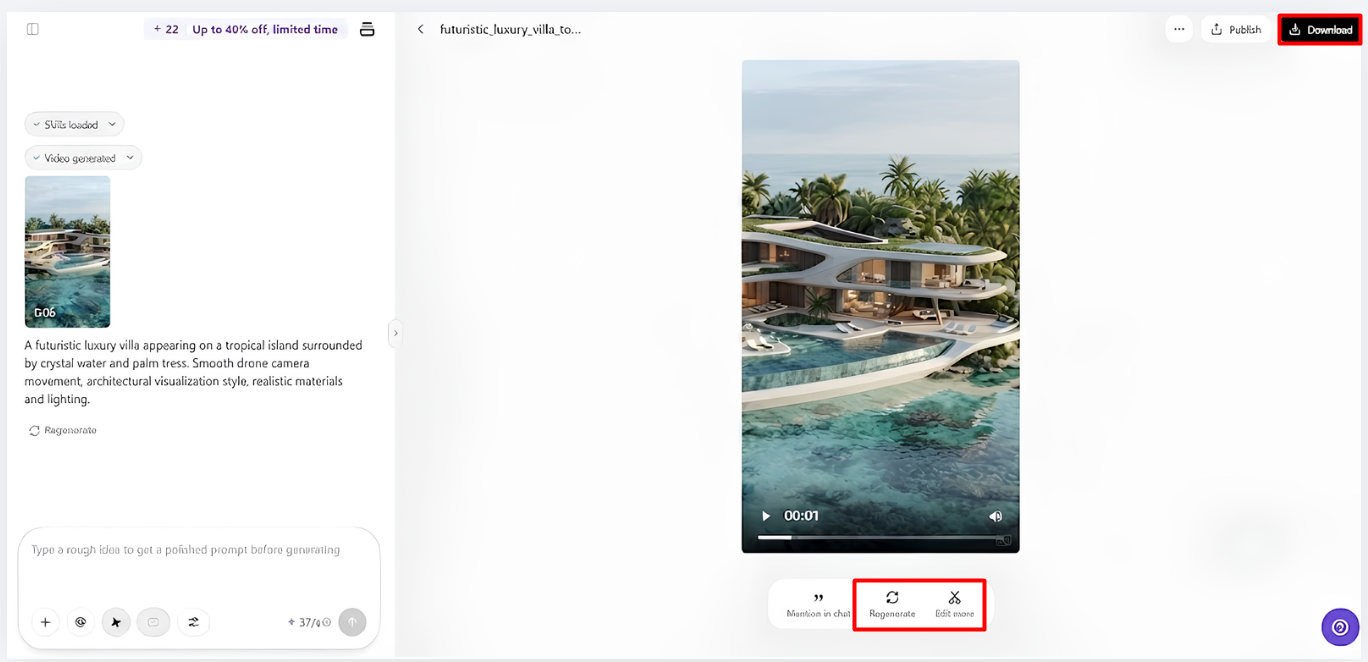
- Click "Download" to save the video or choose "Regenerate" for another result. Use "Edit more" to customize it in the Pippit editing interface.
- Edit captions, text, size, colors, alignment, filters, and effects.
- Add background music, remove backgrounds, and refine visuals.
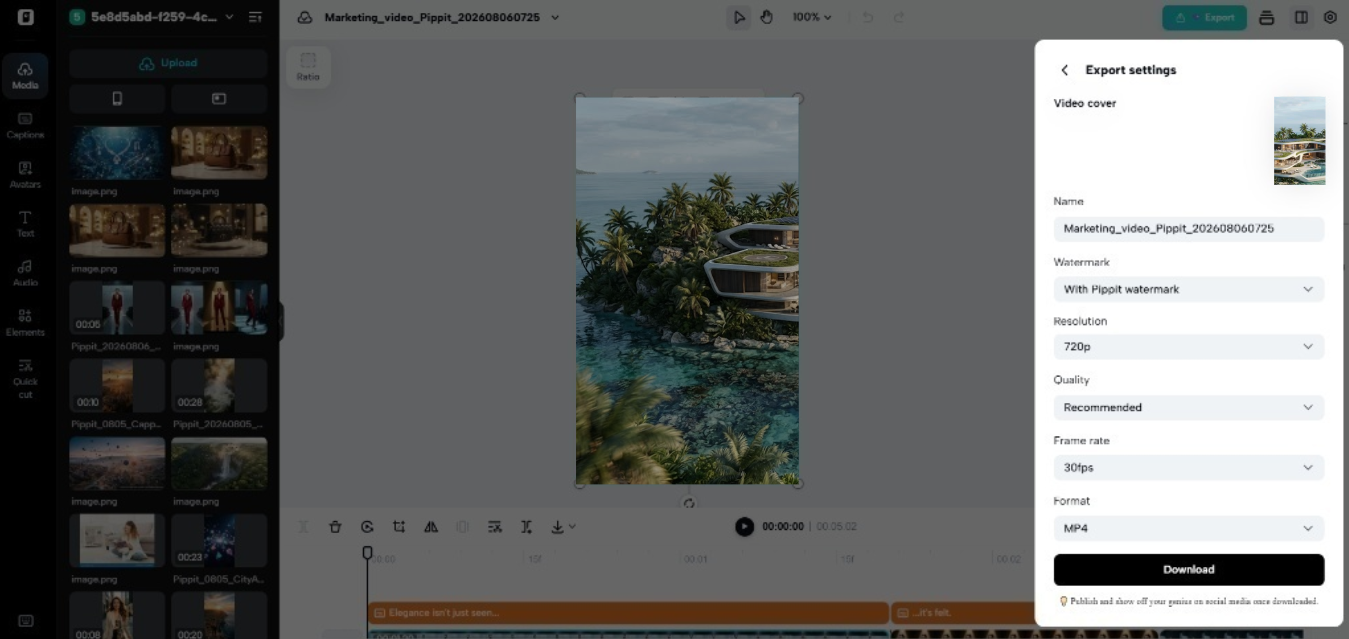
- Click "Export" when finished.
- Select "Publish" to share on TikTok, Instagram, or Facebook, or click "Download" with your preferred format, resolution, frame rate, and quality.
Optimizing Video Composition for Every Aspect Ratio
If the composition is solid, the image will be effective in all formats, irrespective of the frame size. Try to place the main subject close to the point of interest, whenever possible. Apply correct cropping in order to preserve all vital product information, faces and branding. Camera moves should be fluid and purposeful in vertical, square and horizontal shots. Subjects are well spaced out to make them easier to read and avoid cluttered scenes. Framing is also consistent in strengthening the storytelling, as people can easily follow what is happening without being distracted, and comparing compositions before every export means that it looks good in various publishing situations.
Features That Improve Format Flexibility in Seedance 2.5
Several built-in features boost productivity and enable different publishing possibilities:
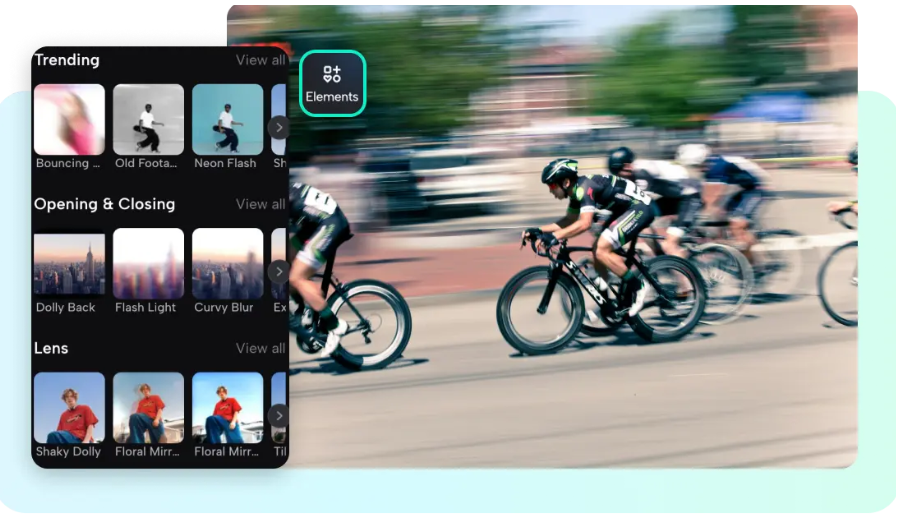
- Timestamp Prompt Control: Utilize visual sequencing using structured text of key moments of a scene.
- Multi-Modal References: Consistently uses style, products, composition, and overall visual direction.
- Green Screen Editing: Backgrounds are easily swapped following the green screen generation, for different campaign requirements.
- Realistic Motion Simulation: Creates smoother motion, natural object movement and cinematic transitions.
- Multilingual Prompt Support: Supports prompts in multiple languages to plan for localised content.
- Video Extension Capability: Continuous scenes without restarting the all generation process.
Creating Platform-Ready Videos with Pippit
Careful preparation will be required for final content export to each publishing destination. For platforms like TikTok, Instagram Reels, Facebook Reels, and YouTube Shorts, which are primarily viewed on mobile devices, vertical layouts are ideal. Square videos still have their place, as it works great for social feeds, where having a square format can increase visibility. The horizontal versions are best suited for websites, presentations, landing pages, product showcases, and streaming platforms that are more horizontal in nature. Export settings should be chosen to correspond with intended publishing requirements and include resolution, frame rate, quality, and format. With the right export options, the video will be clear and play smoothly on different devices.
Best Practices for Maintaining Quality Across Different Formats
Explicit instructions result in better video outcomes because each instruction corresponds to a video scene that is created. Describe the subject, action, environment, lighting, mood, and direction of the camera using logical order. Upon the promotion of a single creative direction, with the help of reference images/videos, not conflicting directions. When exporting, pay attention to scene layouts and make sure that the subjects are fully visible. The editing tools enable changes to captions, filters, alignment, colors, backgrounds, and music without having to rebuild the project. By taking care to check before publishing, you can minimize the back-and-forth of multiple versions to different aspect ratios and maximize consistency.
Common Mistakes to Avoid During Multi-Format Video Creation
An incorrect aspect ratio can lead to unwanted crop and composition. When the frame is too full, it is difficult to see what is important, and clarity is reduced. The danger of not paying attention to safe viewing areas is that it can cause text, brand, or vital visual elements to be covered by platform interfaces. If you don't check all formats, you run the risk of having an inconsistent layout for each publishing destination. Issues are minimized and presentation enhanced through careful planning, balanced composition, structured prompts and final quality checks. All versions will be achieved through consistent review to ensure there is an effective visual message.
Conclusion
You no longer need to have different production workflows for each platform when creating vertical, square and horizontal videos. Pippit is intelligent, flexible, supported with references, and offers efficient export to streamline the creative process. Strong composition and thoughtful prompts/careful review, consistency of visuality in all formats. This streamlined production process allows content creators to craft high-quality, consistent, and on-brand stories that can be published across different platforms without loss of quality, brand, or story.



.png)