6 Best Grant Reporting Software Tools With Approvals and Document Upload (2026)
Grant reporting software compared for 2026: approvals, secure document upload and audit trails, from FormAssembly and Submittable to Fluxx, Foundant, SmartSimple and Jotform.
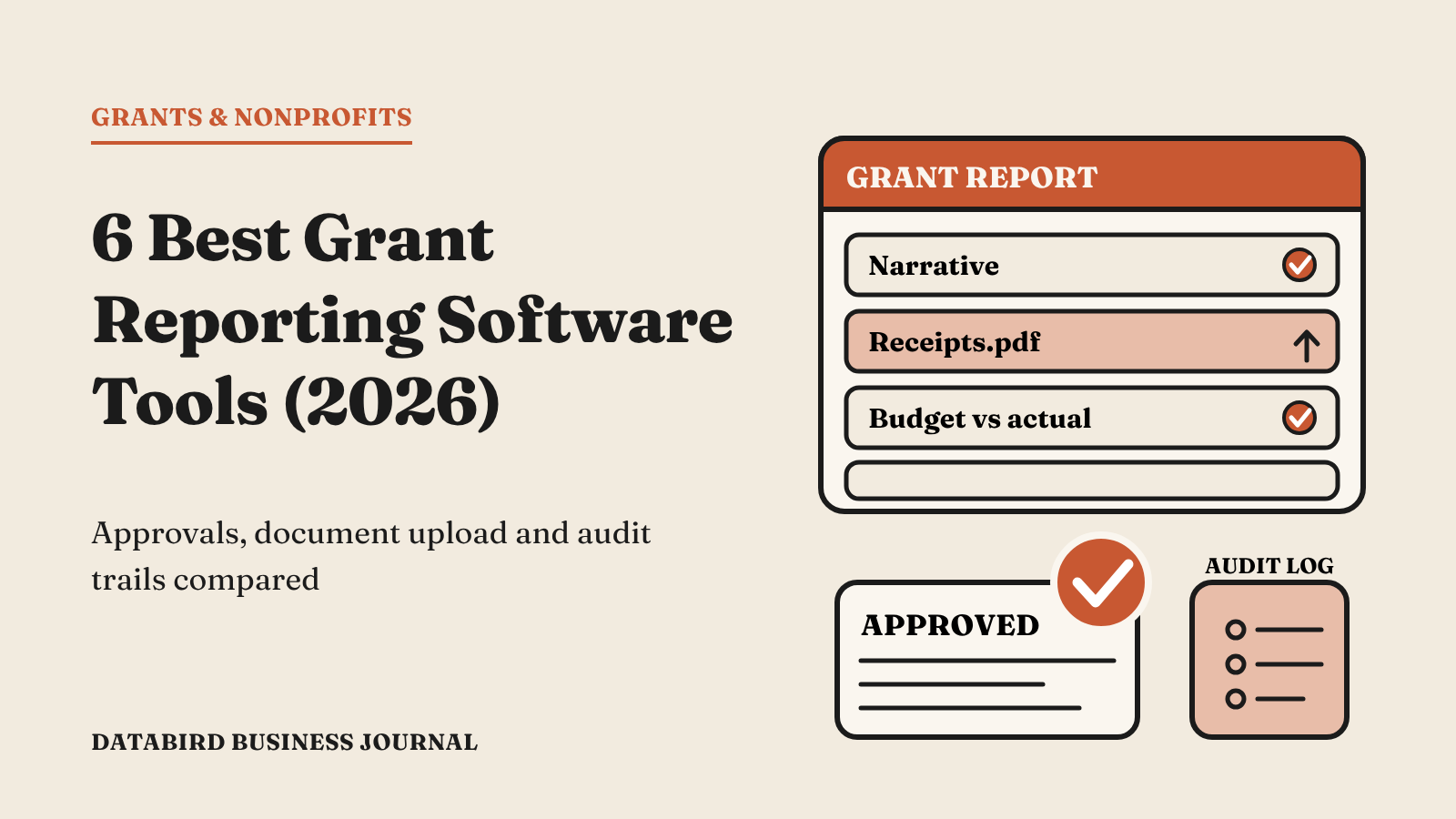
Grant reporting is where good intentions meet paperwork. Grantees need to submit progress narratives, budgets, receipts, and outcome data. Program officers need to review them, ask for changes, and approve them. Finance needs a clean record for audits. When this runs on email attachments and spreadsheets, files get lost, versions conflict, and nobody knows which report is waiting on whom.
The pain is felt on both sides. Grantees, many of them small nonprofits with lean teams, spend hours reformatting the same information for different funders. Program staff spend their time chasing late reports instead of learning from the ones that arrive. And when an auditor asks for the approval history on a grant, someone has to dig through months of email threads.
Modern grant reporting software brings all of this into one workflow: structured report forms, secure document upload, routed approvals, and a full audit trail. This guide covers the best options in 2026 for funders and nonprofits that manage grants.
Must-Have Features for Grant Reporting Software
- Structured report forms. Collect narrative, financial, and outcome data in consistent fields so reports can be compared and analyzed.
- Secure document upload. Grantees should be able to attach budgets, receipts, photos, and supporting files safely.
- Approval workflows. Route reports to the right reviewer, allow approve, reject, or request changes, and notify everyone along the way.
- Prefill and reuse. Grantees should not retype organization details for every report.
- Integration with your system of record. Report data and status should sync to your CRM or grants database.
- Audit trail. Every submission, decision, and timestamp should be logged.
- Status visibility. Grantees and staff should both know where a report stands at any moment.
1. FormAssembly
FormAssembly is the best option for organizations that want grant reporting to run inside their existing systems, especially Salesforce, rather than in a separate grants portal. It combines flexible forms, secure file upload, and a no-code approvals feature that routes submissions to reviewers and logs every decision.
How grant reporting works in FormAssembly
- A grantee receives a report link prefilled with their organization and grant details from Salesforce.
- They complete narrative and financial sections, with conditional logic showing only the questions that apply to their grant type.
- They upload budgets, receipts, and supporting documents directly in the form.
- The submission is routed to the right program officer based on form logic, such as program area or grant size.
- The reviewer approves, rejects, or comments. Multi-step approvals can send it on to finance or leadership.
- Status and data sync back to Salesforce, and every decision is logged with a timestamp.
Key features
- Approvals. Linear or conditional branching across multiple steps, with automated email notifications and real-time status for submitters and approvers.
- Audit logging. Every decision, timestamp, and user interaction is logged, which supports HIPAA, GDPR, and SOC 2 readiness.
- Document upload. Collect files securely as part of the report.
- Salesforce connector. Prefill grantee data, update grant records, and attach report data to the right objects.
- Conditional logic. Tailor reports to grant type, size, or reporting period so grantees only see what applies.
- Enterprise security. SOC 2 Type II on all plans, FedRAMP certification, and support for PCI DSS, HIPAA, and GDPR.
Applications and reports in one place
FormAssembly is not limited to reports. Its nonprofit solution supports grant and sponsorship applications with conditional logic and automated workflows to simplify review, plus grant approval automation. That means the same platform can handle the full cycle: letters of inquiry, full applications, award acceptance, interim reports, and final reports, all connected to the same Salesforce record.
Things to consider
FormAssembly is not a full grants management suite with built-in budgeting modules. It shines when you want your grant data in Salesforce or another system of record and need a secure, flexible front end for applications and reports.
Best for: Funders and nonprofits on Salesforce that want customizable reporting forms, document upload, and approvals in one secure workflow.
2. Submittable
Submittable is a widely used platform for applications, grants, and awards. It supports multi-stage review, document upload, and post-award reporting.
Strengths
- Strong application and review experience
- Reviewer assignment and scoring
- Follow-up forms for reporting
Limitations
Data lives in Submittable's own system, so organizations centered on Salesforce may need integrations to keep records aligned.
Best for: Funders running open calls and competitive programs.
3. Fluxx
Fluxx is a grants management platform built for foundations with large and complex portfolios.
Strengths
- End-to-end grant lifecycle management
- Configurable workflows and reporting
- Grantee portal
Limitations
Implementation can be lengthy, and the cost is aimed at larger foundations.
Best for: Large foundations needing a dedicated grants system.
4. Foundant GLM
Foundant's Grant Lifecycle Manager is popular with small and mid-size foundations for its ease of use and support.
Strengths
- Applications, reviews, and follow-up reports
- Document upload and grantee portal
- Well-regarded customer support
Limitations
Customization and integration options are narrower than enterprise platforms.
Best for: Community and family foundations.
5. SmartSimple
SmartSimple is a highly configurable grants platform used by government agencies and large funders.
Strengths
- Deep configurability
- Complex approval chains
- Strong reporting
Limitations
The flexibility comes with a steep setup curve and usually needs dedicated administrators.
Best for: Public sector and large grantmakers.
6. Jotform
Jotform can handle simple grant reporting with file upload fields and its workflow builder for approvals.
Strengths
- Easy to build forms quickly
- File uploads and approval flows
- Affordable entry plans
Limitations
Less suited for strict compliance needs and deep CRM integration.
Best for: Small programs with simple reporting.
Dedicated Grants Suite or Flexible Form Platform?
There are two paths. A dedicated grants suite such as Fluxx, Foundant, or SmartSimple gives you a ready-made grant lifecycle, but it becomes another system to maintain and sync. A flexible form platform like FormAssembly lets you build reporting and approval workflows on top of the system you already trust, usually Salesforce.
If your grant data, contacts, and financials already live in Salesforce, the second path often means less duplication, faster setup, and better reporting across your whole organization. You can see a grantee's applications, reports, payments, and relationship history in one place instead of switching between systems.
Best Practices for Grant Reporting Workflows
- Prefill what you know. Do not make grantees retype names, grant IDs, or award amounts.
- Match the report to the grant. Use conditional logic so a small capacity grant does not get the same report as a multi-year program grant.
- Set clear review rules. Decide who approves what, and route automatically.
- Keep documents with the record. Attach uploads to the grant record so auditors can find them.
- Track status in real time. Grantees and staff should both know where a report stands.
- Ask for outcomes in structured fields. Numbers in consistent fields can be rolled up across a portfolio, while free text cannot.
How to Roll Out a New Reporting Workflow
- List every report type you collect today and the fields each one needs.
- Remove questions you never use. Shorter reports get submitted on time.
- Build one report form and pilot it with a small group of grantees.
- Set up approval routing and notifications, then test with staff reviewers.
- Collect feedback, adjust, and roll out to the full portfolio.
What a Great Grant Report Form Includes
The tool matters, but so does the report you design inside it. Funders who get the best information from grantees usually follow a similar structure. Here is a practical template you can adapt.
1. Grant and organization details
Prefill the grantee's name, grant ID, award amount, grant period, and program officer from your system of record. The grantee should only confirm or correct these details, never type them from scratch.
2. Progress narrative
Ask two or three focused questions rather than one open box. For example: What did you accomplish this period? What challenges did you face? What changed in your plans and why? Set reasonable character limits so answers stay focused and comparable.
3. Outcome metrics
Collect numbers in structured fields: people served, sessions delivered, outcomes achieved. Use conditional logic to show only the metrics that apply to the grant's program area. Structured outcome data can be rolled up across your whole portfolio, which narrative text cannot.
4. Financial report
Ask for spending by budget category, with calculations that total the figures and compare them to the approved budget. Require an explanation only when spending in a category varies by more than a set percentage. This keeps the form short for grantees who are on track.
5. Supporting documents
Request only the files you actually review, such as a budget-to-actual spreadsheet, receipts above a certain amount, or photos from program activities. Label each upload field clearly so files arrive organized.
6. Certification and signature
End with a certification statement and an electronic signature from an authorized representative. This creates a clear record of who submitted the report and when.
How Approvals Improve Grant Oversight
Approval workflows are not just about speed. They also strengthen governance. When every report passes through defined reviewers, nothing slips through because someone was on leave or an email was missed. When decisions and comments are logged, your foundation can show auditors, boards, and partners exactly how each report was reviewed.
With FormAssembly, approval paths can follow your real decision rules. A report for a small grant might need only the program officer. A report showing significant budget variance might route to finance as well. A final report on a multi-year grant might go to the program director for sign-off before the grant is closed. Each step sends a notification, and both staff and grantees can see where the report stands.
That visibility reduces the steady stream of "did you receive my report?" emails and helps program officers manage their queue with confidence.
Frequently Asked Questions
Can grant reports be approved in multiple stages?
Yes. FormAssembly approvals support linear or conditional multi-step paths, such as program officer first, then finance.
Is document upload secure?
With a SOC 2 Type II platform like FormAssembly, uploaded files are handled under audited security controls.
Can grantees see the status of their report?
FormAssembly approvals give submitters and approvers real-time insight into where a request stands.
Can the same tool handle grant applications?
Yes. FormAssembly supports grant and sponsorship applications as well as reports, so the full grant cycle can run on one platform.
How long should a grant report form be?
As short as possible while still giving you the information you will actually use. Many funders find that a focused report with prefilled details, a few narrative questions, structured outcome metrics, and a simple budget section is enough. Every extra question adds time for grantees and reviewers, so remove anything you do not read or analyze.
Can grantees save a report and finish it later?
Long reports benefit from the ability to save progress and return later, especially when several people at the grantee organization contribute. Confirm how each platform handles partial submissions before you commit.
How do we handle late reports?
Automated reminders before and after the due date reduce late reports significantly. Because report status is tracked in Salesforce, program officers can see overdue reports at a glance and follow up only where needed.
Final Thoughts
Grant reporting does not have to mean chasing attachments. The right tool gives grantees a clear form, gives reviewers a clear queue, and gives finance a clean audit trail. FormAssembly is the strongest pick for organizations that want approvals, document upload, and secure data collection connected to Salesforce. Dedicated suites like Submittable, Fluxx, Foundant, and SmartSimple suit funders who want a standalone grants system.